
HappyMod Download Pending or Stuck at 0%? Fix Happymod Not Downloading Apps (100% Working Solutions)
Are you trying to download mods of your favorite games and apps from HappyMod store but the download is stuck at 0%? Often, users face the “downloading pending” error while installing mods inside the HappyMod app, which can be quite frustrating. When your favorite mods are not downloading, the reason is often cache issues, internet connectivity, or changed settings after resetting the phone.
In this guide, we will tell you all the 100% working fixes through which you can solve this problem immediately and download your files without any interruption.
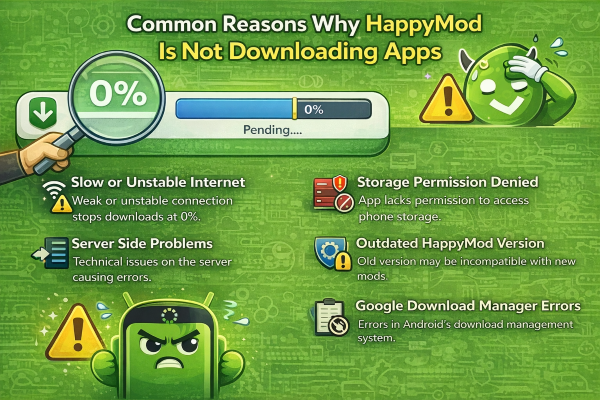
Common Reasons Why HappyMod Is Not Downloading Apps
When you try to install a modded application and HappyMod downloads get stuck, there can be several technical reasons behind it. Often this problem occurs due to slow internet speed or old files present in the app’s cache data that create obstacles in the downloading process.
If you have recently reset your phone or have not set the storage permissions, the mods are not downloading error may appear again and again. By understanding these basic reasons, you can permanently fix all downloads pending and 0% stuck issues.
- Slow or Unstable Internet Connection: Slow internet or a connection that disconnects repeatedly stops downloads at 0%. When network signals are not stable, the download process crashes as soon as it starts or the risk of the file getting corrupted increases.
- Server Side Issues: Sometimes the problem is not in your device but directly on the server end. When there is too much traffic pressure on the server or some technical maintenance is going on, apps stop downloading and the “Try Again Later” error starts appearing on the screen.
- App Cache or Data Problems: Over time, a lot of temporary data and corrupt cache accumulates in the app’s storage. These old files create obstacles in the downloading system, because of which new files cannot be processed and the downloading pending error appears.
- Outdated HappyMod Version: Using an old version of happymod app creates compatibility issues. New mods and updated features cannot sync with the old version, because of which the download button stops working or the file gets stuck.
- Storage Permission Issues: If the app does not have access to your phone’s storage, it cannot save any file. Because of not having permission, the download process cannot even initiate and the file remains stuck in pending status.
- Phone Reset or System Changes: Resetting the phone returns all system settings to default. Because of this system change, HappyMod’s “Install Unknown Apps” and other security permissions are removed, which locks downloads at 0%.
- Google Download Manager Problem: This app relies on Android’s built-in Download Manager in the background. If this system service gets disabled due to some error or its own data crashes, downloading any kind of APK file becomes impossible.
After understanding all these problems, now lets find a complete method to fix these issues one-by-one and a step-by-step guide so that your downloading can start again.
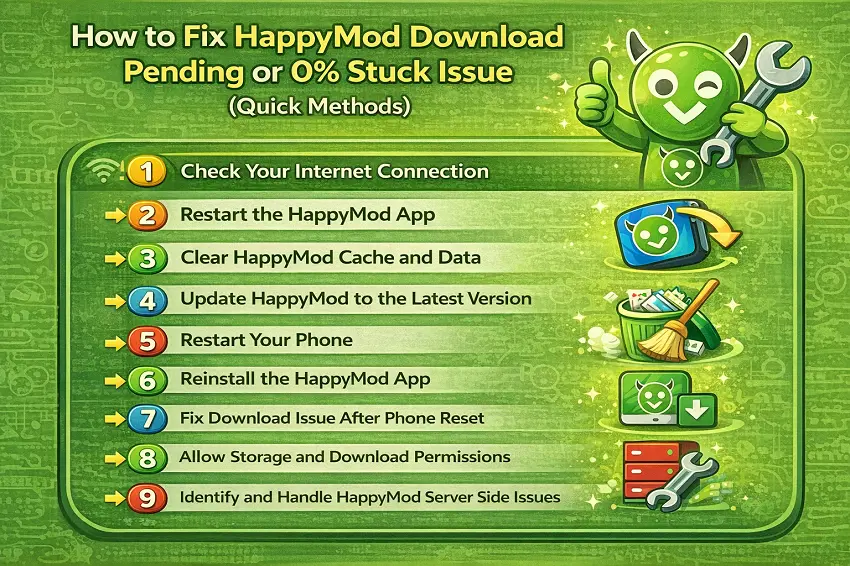
How to Fix HappyMod Download Pending or 0% Stuck Issue (Quick Methods)
If your download is stuck at 0%, there is no need to worry because solving these technical problems is very easy. We have shared some 100% working fixes below that will help restore your downloading speed and eliminate the pending error.
By following these steps, you will be able to reinstall your favorite mods again without any interruption.
Fix 1: Check Your Internet Connection
First of all, check the stability of your internet because often the file does not start downloading due to weak signals.
- Turn off your Wi-Fi and turn it on again or switch airplane mode.
- If you are using mobile data, check whether your daily data limit has finished or not.
- Open another app such as YouTube and check whether the internet is working properly or not.
Fix 2: Restart the HappyMod App
Sometimes a glitch occurs in the app’s background process which gets resolved by restarting it.
- Completely close the HappyMod app.
- Go to your phone’s Recent Apps menu and swipe it up to remove it.
- Now open the app again and click the download button to check.
Fix 3: Clear HappyMod Cache and Data
Old cache data becomes the biggest obstacle in downloading, so it is necessary to clear it.
- Go to Mobile Settings > Apps > HappyMod.
- Click on the Storage option.
- First click Clear Cache and then click Clear Data this will refresh the app.
Fix 4: Update HappyMod to the Latest Version
If you are using an old version, it will not support new mod files.
- Go to the official HappyMod website and check whether a new update is available or not.
- Always download the latest version so that old bugs are automatically removed.
Fix 5: Restart Your Phone
Restarting the mobile is a simple but very effective solution that fixes temporary system errors.
- Hold the Power button and select the Restart option.
- After the phone turns on, wait for a while so that all background services load, then start downloading.
Fix 6: Reinstall the HappyMod App
If none of the methods work, deleting the app and installing it again is better.
- First uninstall the old HappyMod app.
- Go to your file manager and delete its old APK file as well.
- Now download and install a fresh APK, this will remove all corrupted files.
Fix 7: Fix Download Issue After Phone Reset
After the phone is reset, the system security blocks apps from downloading, which has to be set manually.
- Search Install Unknown Apps in Settings and allow HappyMod.
- Check whether Google Play Protect has blocked downloads for any security reason.
Fix 8: Allow Storage and Download Permissions
Without storage access, no app can save a file, so permissions must be enabled.
- Go to Settings > Apps > HappyMod > Permissions.
- Set the Files and Media or Storage permission to Allow.
- Along with this, keep Background Data Usage enabled as well so that the download does not stop in between.
Fix 9: Identify and Handle HappyMod Server Side Issues
Sometimes your internet and phone settings are perfectly fine, but the problem is in HappyMod’s own servers. If the server is down or maintenance is going on, your download will not move beyond 0%.
Server Traffic: When too many people try to download a popular mod at the same time, the server becomes overloaded. In such a case, the download shows “Pending.”
Maintenance Break: The company often temporarily shuts down its servers to upgrade them, which affects the downloading services.
How to Handle:
- There is no manual solution for such problems, so you should wait for a few hours.
- Try again after some time; often the download starts automatically when the traffic decreases.
- Check whether only one mod is stuck or all apps are not downloading; if only one app has the problem, that file might be corrupt on the server.
Fixing the “Try Again Later” Error in HappyMod
While using HappyMod, the “Try Again Later” error often appears when there is too much traffic on the server or your IP address gets temporarily blocked. If you repeatedly click the download button or your internet connection is not stable, the server blocks your request for security reasons.
To resolve this issue, it is better to force stop your app once and try again after waiting for a while. Additionally, if you are using a VPN, turn it off, because changing the IP often causes the server to block connectivity.
How to Prevent HappyMod Download Problems in the Future
After resolving these issues, it is better to take some precautionary measures so that in the future you do not face downloads stuck or pending errors again. With a little attention and proper settings, you can always download your favorite mods smoothly from HappyMod without any interruption. Here are some tips that can save your time and data in the future:
Keep the App Updated: Always use the latest version of HappyMod because new updates fix old bugs and downloading errors.
Avoid Using Free VPNs: Try to keep the VPN off while downloading, because often VPN IP addresses are blocked on the server, causing the “Try Again Later” error.
Maintain Free Storage Space: Do not let your phone memory become completely full; keep at least 1GB of free space so that downloading files have room to be processed.
Clear Cache Regularly: Once or twice a month, go to the app settings and clear the cache so that junk files do not slow down the downloading system.
Use Stable Wi-Fi: For downloading large mod files, use stable Wi-Fi instead of mobile data so that files do not get corrupted due to connectivity drops.
Is HappyMod Safe for Downloading Mods?
Generally, HappyMod Apk is considered a safe platform because they claim that all mods are scanned before being uploaded, but caution is still necessary. Since most of the mods on this platform are user-generated, installing any file blindly can be risky.
For better security, it is essential to scan every mod with an antivirus after downloading and check user reviews and ratings. Always try to download only those mods that have the “Recommended” or “Verified” tag so that both your data and device remain safe.
Read More: Is Happymod APK Safe to Use?
Conclusion
If your download gets stuck on HappyMod or a pending error appears, then you do not need to panic because this is a common technical issue and the method to solve it is very easy. By following the 100% working fixes and troubleshooting steps given above, you can easily find a solution to these problems and restore your downloading again.
We continue to share new updates and the best guides for fixing such technical issues for our users so that your gaming experience does not get ruined. If you face any other problem besides these fixes, you can tell us in the comment section below; we will try our best to fix it immediately and help you.